Thursday, March 8, 2018

KESS V2 Master FW 4.036 Ksuite V2.25 V2.28 Works 100% OK

KESS V2 master Ksuite V2.28 download for free:
https://mega.nz/#!Ix1xRAJD!aNKWWCOjILmbgRvuZ7VLbvxfFrZ_NTutkK6G31lqWEQ pass: ecu3files Version 2.28 Added PS column in vehicle list and bugs fixed. PS = 1.36 * KW HP = 1.34 * KW kess-v2-v2-28 Ksuite V2.28 works with this: KESS V2 Master FW4.036 (Item No. SE87-C) kess-v2-unlimited-token-version-new-16
Here installation Video:
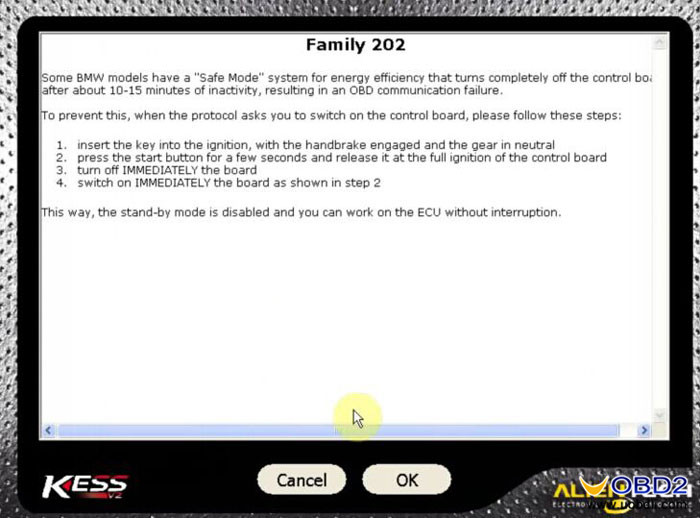
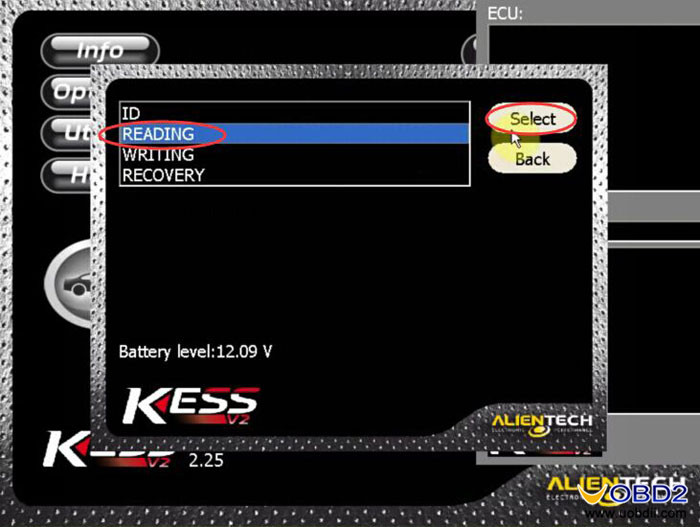
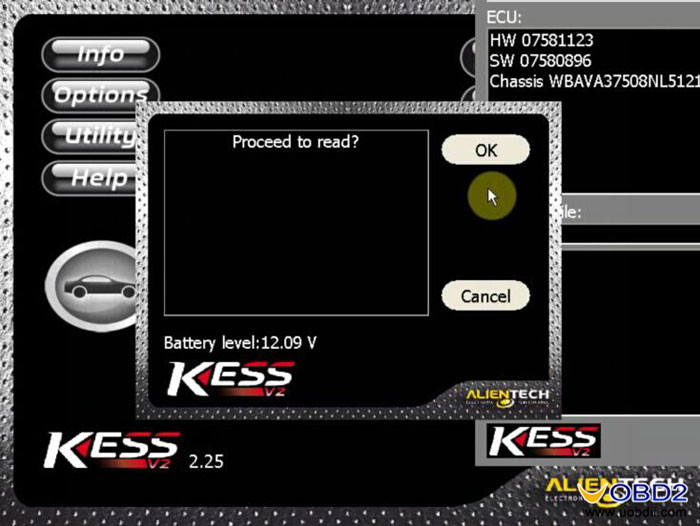
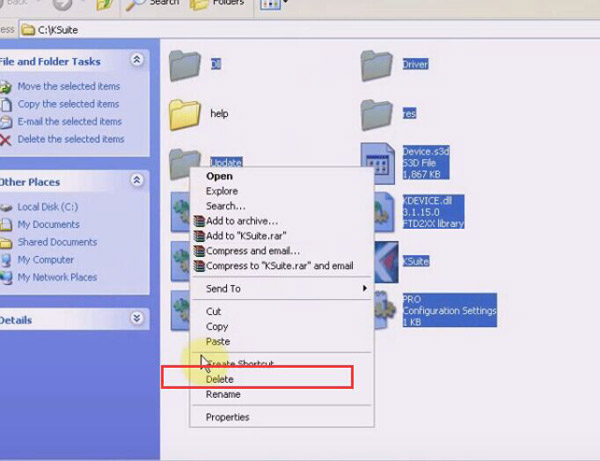
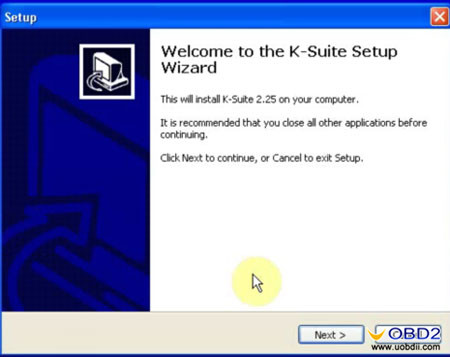
 If you are first-time buyer at uobdii.com, you will get the CD with 3 different versions including: KESS V2 Ksuite V2.23 KESS V2 Ksuite V2.25 KESS V2 Ksuite V2.28 PS: Ksuite V2.25 is more stable than V2.28 according to uobdii engineer test. Following parts will guide you how to install KESS V2 latest software Ksuite V2.25 V2.28 on windows XP, and use this software to read BMW E90 ECU without issue. Hope it helps someone. How to use KESS V2 Ksuite V2.25? Step1: Install Ksuite V2.25 Open K-suite 2.25 setup wizard kess-v2-software-ksuite-1 Accept all of the terms of license agreement, click YES kess-v2-software-ksuite-2 Then select language and click OK to continue kess-v2-software-ksuite-3 Click Next to begin installing USB driver kess-v2-software-ksuite-4 kess-v2-software-ksuite-5 Support language: Italian, German, English, French, Portuguese, Spanish kess-v2-software-ksuite-6 Step2: Disable the network You should disable all network connections kess-v2-software-ksuite-7 Step3: Go to C:\KSuite and remove the folder [help] kess-v2-software-ksuite-8
Copy another [help] folder in desk E:\ to C:\KSuite kess-v2-software-ksuite-9 Step4: install software for USB device Choose install the software automatically and click Next
 kess-v2-software-ksuite-10
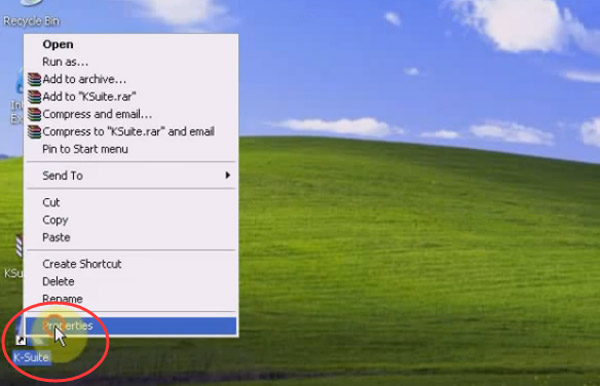
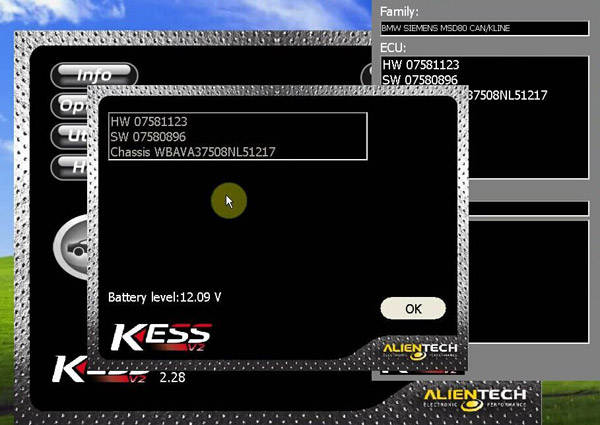
Click finish to close the wizard And go to computer management-> Device Manager kess-v2-software-ksuite-11 Step5: Read BME E90 ECU Open Ksuite on the desktop Click the icon kess-v2-software-ksuite-12 Select BMW, E90 kess-v2-software-ksuite-13 Click OK kess-v2-software-ksuite-14 Select CAN kess-v2-software-ksuite-15 READING kess-v2-software-ksuite-16 kess-v2-software-ksuite-17 kess-v2-software-ksuite-18 kess-v2-software-ksuite-19 kess-v2-software-ksuite-21 kess-v2-software-ksuite-22 Click OK to proceed to read kess-v2-software-ksuite-23 Save the file kess-v2-software-ksuite-24 Reading ECU completed!   How to use KESS V2 Ksuite V2.28? Delete [Setup 2.25] on the desktop Right click [K-Suite] application, choose [Properties]->[Find Target]   kess-v2-software-ksuite-26 kess-v2-software-ksuite-27 Then Delete all files in C:\KSuite except [help] folder kess-v2-software-ksuite-28
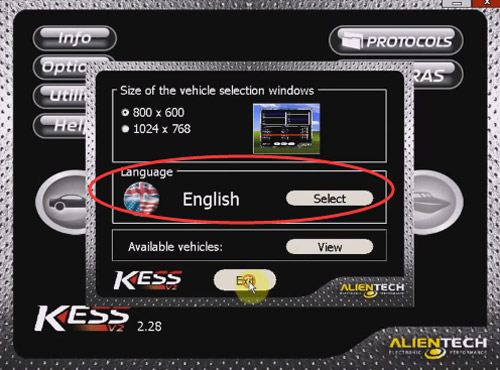
Then open [Ksuite2.28.zip] and copy all files to C:\KSuite kess-v2-software-ksuite-29 Then you can delete [Ksuite2.28.zip] on the desktop and open K-Suite to use kess-v2-software-ksuite-30 Click [Option] to choose the software language you want kess-v2-software-ksuite-31
Now you can use KESS V2 Ksuite V2.28 to read E90 ECU follow Step5 Done!   Save

Tuesday, November 15, 2016

Newest Kess v2 Review

Something wanna share with you all, about Kess v2 master clone

First of all I would say that it has probably the widest coverage of vehicles with its strengths in particular to older vehicles and Marques such as Ford and Jaguar. Having widest range of protocols meant that this tool, in particular the slave version being the number 1 choice for vehicle remapping franchises to build networks with. Putting the slave tool aside as this has no function to a professional chip tuner, lets look at the master version.
So apart from having the widest range of vehicles what else does the Kess V2 have going for it.

Features

For a start the GUI is very user friendly, this would be an advantage for novice users as all vehicles are set out individually with models and engines all separated so the user can easily identify the correct vehicle.
It also has a very broad help section, so every time you select a vehicle, the tool will automatically give information on correct cables to use or how to read the vehicle, again very user friendly.
There is on the master version a file back up folder where original files for some ID only vehicles can be stored, this enables the user to have an original file to hand instead of having to bootload the ECU or search for an original file.
Another plus for the Kess V2 is that it comes standard with a bootloader function for flashing some ECUs on the bench such as Bosch me7.x.x and Visteon DCU102 where a read function is unavailable.
The tool has industry standard features such as a battery real time monitor, a recovery function, scan tool function to clear down DTC’s and automatic checksum correction where available. On some ECUs a flash counter reset is also available.
Overall the Kess V2 is quite a stable tool 90% of the time. However, lets take a look at the negatives.

The Negatives

It does on occasion struggle with some protocols and with perseverance it usually manages the job.
Another downside to the Kess is it’s data transfer rate when reading out some vehicles. Some ECUs have been known to take up to 3 hours to read out. Even some basic Bosch EDC16 on Kline have taken up to an hour to read out.
This becomes more of a hindrance for busy tuning shops and mobile tuners as standing around for hours isn’t making money.

In Summary

I would score the Kess7/10.
Positives for me would be the coverage of older vehicles, and the ease of use with its GUI for dummies platform.
Negatives are long read times and instability with some controllers.  Alientech also seem to be the last to release new protocols.

Wednesday, November 9, 2016

Latest KESS V2 software Ksuite V2.25 V2.28 read BMW E90 ECU without issue

This blog will guide you how to install KESS V2 latest software Ksuite V2.25 on windows XP, and use this software to read BMW E90 ECU without issue. Hope it helps someone.

Step1: Install Ksuite V2.25
Open K-suite 2.25 setup wizard
kess-v2-software-ksuite-1
Accept all of the terms of license agreement, click YES
kess-v2-software-ksuite-2
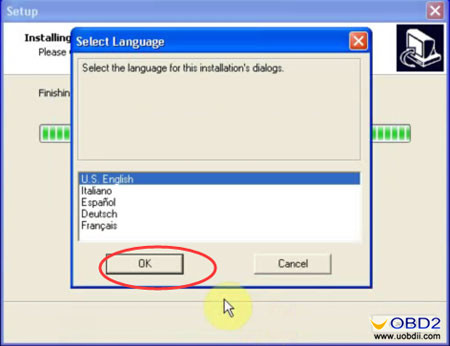
Then select language and click OK to continue
kess-v2-software-ksuite-3
Click Next to begin installing USB driver
kess-v2-software-ksuite-4
kess-v2-software-ksuite-5
Support language: Italian, German, English, French, Portuguese, Spanish
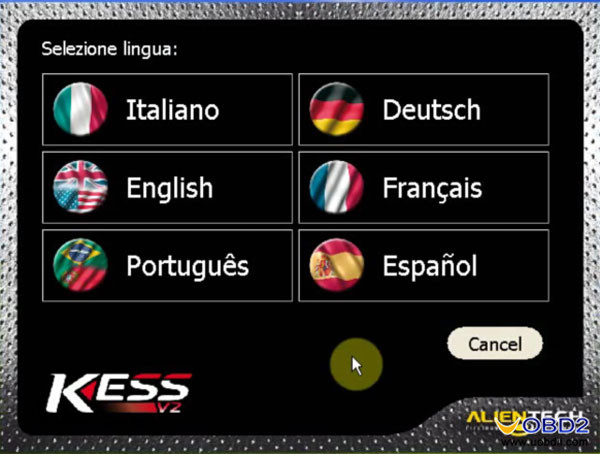
kess-v2-software-ksuite-6

Step2: Disable the network
You should disable all network connections
kess-v2-software-ksuite-7

Step3:
Go to C:\KSuite and remove the folder [help]
kess-v2-software-ksuite-8
Copy another [help] folder in desk E:\ to C:\KSuite
kess-v2-software-ksuite-9

Step4: install software for USB device
Choose install the software automatically and click Next
kess-v2-software-ksuite-10
Click finish to close the wizard
And go to computer management-> Device Manager
kess-v2-software-ksuite-11

Step5: Read BME E90 ECU
Open Ksuite on the desktop
Click the icon
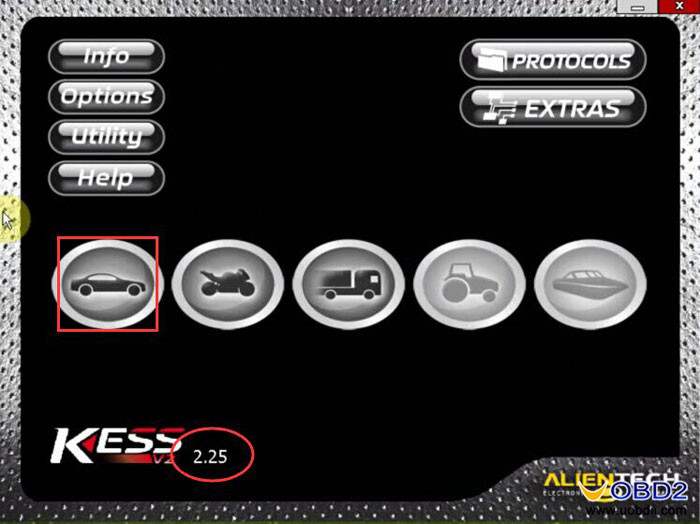
kess-v2-software-ksuite-12
Select BMW, E90
kess-v2-software-ksuite-13
Click OK
kess-v2-software-ksuite-14
Select CAN
kess-v2-software-ksuite-15
READING
kess-v2-software-ksuite-16 kess-v2-software-ksuite-17 kess-v2-software-ksuite-18 kess-v2-software-ksuite-19 kess-v2-software-ksuite-21 kess-v2-software-ksuite-22

Click OK to proceed to read
kess-v2-software-ksuite-23
Save the file
kess-v2-software-ksuite-24
Reading ECU completed!